RainbowKit
The RainbowKit is a React library that easily adds wallet connections to your Dapp. It's intuitive, responsive and customizable. It allows you to integrate even more wallets than the Web3Modal solution.
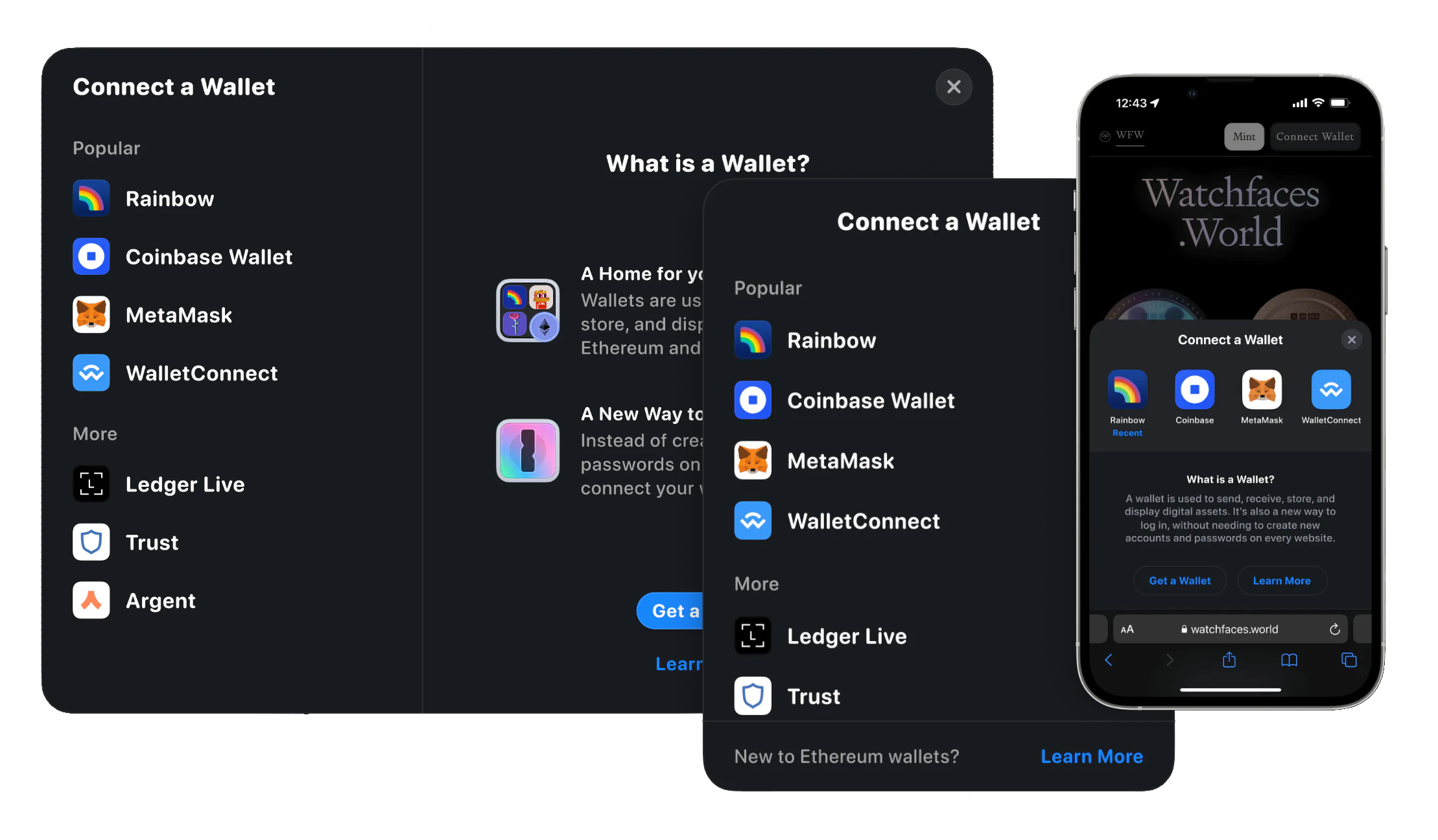
Integrate RainbowKit
This tutorial video explains quickly the process of setting up your RainbowKit modal:
Quick start
You can scaffold a new RainbowKit + wagmi + Next.js app with one of the following commands, using your package manager of choice:
npm init @rainbow-me/rainbowkit@latest
# or
pnpm create @rainbow-me/rainbowkit@latest
# or
yarn create @rainbow-me/rainbowkit
These commands will prompt you for a project name, generate a new directory containing a boilerplate project, and install all required dependencies.
Alternatively, you can manually integrate RainbowKit into your existing project.
Manual setup
Install RainbowKit and its peer dependencies, wagmi, viem, and @tanstack/react-query.
npm install @rainbow-me/rainbowkit wagmi [email protected] @tanstack/react-query
After that, you must import your libraries and configure your installation. You can read more about this here.
UI Configuration
You can configure a lot of parameters for UI in RainbowKit, for example:
You can read more about advanced customizing these components here.
Adding Aurora Pass
You will need to get a Wallet ID from WalletConnect for the Aurora Pass wallet first from here or copy it directly below:
76260019aec5a3c44dd2421bf78e80f71a6c090d932c413a287193ed79450694
You can now add Aurora Pass as a recommended wallet to your RainbowKit WalletList by:
- Use
walletConnectWalletfrom@rainbow-me/rainbowkit/walletsin your wallet connectors:
import { connectorsForWallets } from '@rainbow-me/rainbowkit';
import { walletConnectWallet } from '@rainbow-me/rainbowkit/wallets';
import {
  rainbowWallet,
  walletConnectWallet,
} from '@rainbow-me/rainbowkit/wallets';

const connectors = connectorsForWallets(
  [
    {
      groupName: 'Recommended',
      wallets: [rainbowWallet, walletConnectWallet],
    },
  ],
  {
    appName: 'My RainbowKit App',
    projectId: 'YOUR_PROJECT_ID',
  }
);
- Now you can configure your
walletConnectWalletvia theqrModalOptionsvariable, which is secretly just WalletConnect options, find the complete list of them here:
walletConnectWallet(options: {
  projectId: string;
  options?: {
    qrModalOptions?: {
      desktopWallets?: DesktopWallet[];
      mobileWallets?: MobileWallet[];
    };
  }
});
- So now, use the
explorerRecommendedWalletIdsoption (documented here) and paste Aurora Pass ID to it:
let options = {
    defaultChain: aurora, // we can set it to make sure we are using Aurora mainnet by default for our DApp
    includeWalletIds: [
        '76260019aec5a3c44dd2421bf78e80f71a6c090d932c413a287193ed79450694', //AuroraPass
    ]};

// pass the 'options' here as the last argument
const connectors = connectorsForWallets([ ...
   walletConnectWallet({projectId, options})
   ...
]);
That is it. Now, you can use Aurora Pass from your RainbowKit popup.
Troubleshooting
Please, take a look at our Troubleshooting Page. In case you still have questions, please get in touch with our Support Team on Discord and open a support ticket there.